You receive a password-reset email that you did not request. Treat the message as evidence, not as the place to begin recovery. This page explains login pages, reset links, OTPs, sessions and cookies. It contains no external login destination.
Six steps after an unexpected reset message
- Do not use the email buttonOpening the link can place you on a lookalike domain or expose a token.
- Check the sender domainDisplay names are easy to copy. Inspect the full address and message headers.
- Do not send an OTPAn OTP authorises a step; it is not a code for a support agent to “check”.
- Preserve the time and headerKeep the original email, delivery time, subject and non-sensitive header fields.
- Use an independent routeObtain any account channel separately from the message being disputed.
- Change reused passwordsIf the same password exists elsewhere, replace it there and review active sessions.
The main 22Bet India information page does not provide account entry; this sequence is about protecting credentials and records.
Five objects that are often confused
| Object | Role | Main risk |
|---|---|---|
| Login page | Collects an account identifier and secret | Lookalike domain or copied form |
| Password reset | Starts a credential-recovery process | Unrequested link or exposed reset token |
| OTP | Authorises a time-limited step | Social engineering or relay to another party |
| Session | Keeps a signed-in state active | Unknown device or unclosed access |
| Cookie | Stores browser state, sometimes including a session token | Copying can bypass an ordinary password prompt |
Read the domain before entering anything
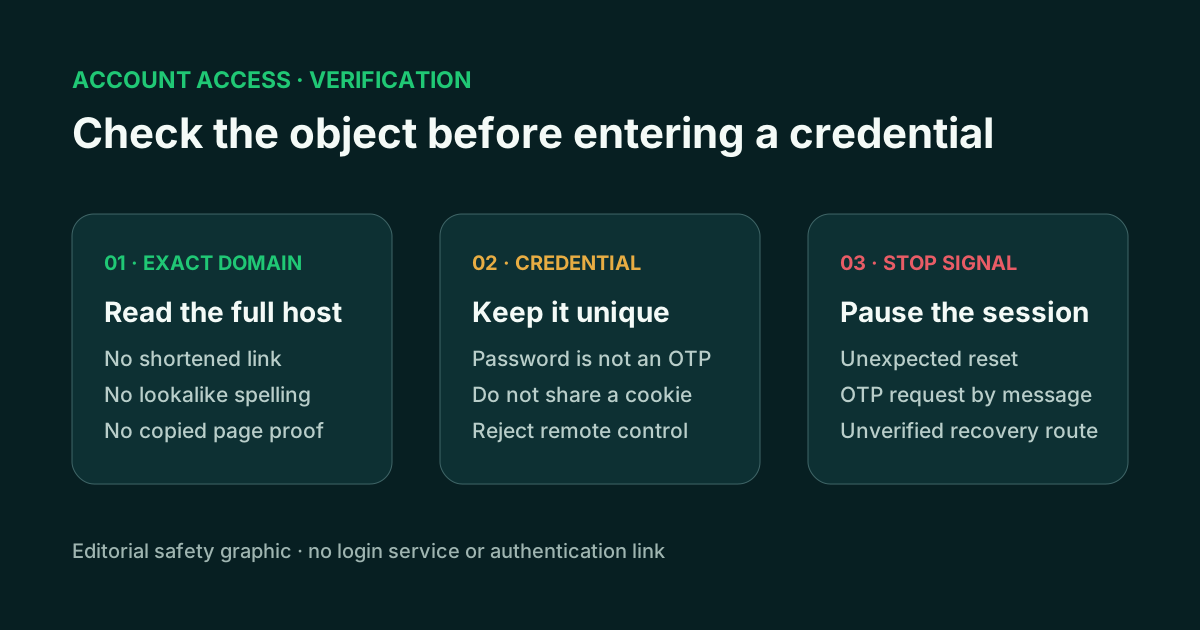
Start at the registered domain, then inspect subdomains and the rest of the path. A familiar word placed to the left of an unrelated domain belongs to that unrelated domain. HTTPS encrypts the connection to the address shown; it does not identify the organisation behind a copied page.
Password managers can help because they associate saved credentials with a domain. If the expected entry does not appear, stop and inspect the address rather than pasting the password manually.
Sessions and cookies need a separate record
An unexpected session can come from a signed-in browser, a stolen session token or a reset that changed credentials without closing older devices. Record the device, browser, approximate time and any location information the service itself exposes. Close unknown sessions through a channel reached independently.
Never paste a login cookie into chat or a diagnostic form. A cookie can contain an active bearer token. Screenshots should omit the browser’s storage panels, full reset links and any QR code used for account access.
If the message link was already opened
Opening a page is not the same as submitting a secret, but it changes the response. Record the final domain after redirects and whether the browser showed a certificate or download warning. Do not return to the page to obtain a cleaner screenshot.
If a password was entered, replace it from a known route and change any reused copy on other services. If an OTP or reset token was supplied, treat the event as an attempted account action and review sessions and recovery details. A downloaded file or profile moves the incident into the mobile and device-response workflow.
Email security is part of account recovery
Password resets commonly depend on email. Use a unique email password, review forwarding rules, recovery addresses and active sessions, and remove unknown access. Keep email-recovery codes out of account-support conversations.
Separating the email event from the platform event makes the timeline clearer. Note when the reset message arrived, whether it was requested, what changed in the inbox and which account action followed.
An unknown session is not the same as a failed login
A failed login may show that a credential attempt did not create access. An unknown active session suggests that a browser or device still holds a valid state. Record the device label, first-seen time and last activity before closing it, when those fields are available.
After closing sessions, review recovery addresses and authentication methods. A password change alone may not remove an attacker-controlled recovery route.
Recovery evidence should exclude secrets
Keep
Message header, date, full domain, error wording and case reference.
Redact
Account identifiers, unrelated inbox details and recovery destinations.
Never send
Password, OTP, reset token, cookie, recovery phrase or remote-control approval.
If a device or package may be involved, use the mobile object checks. For a suspicious conversation, follow the incident response and choose a recipient through support routing.
Current public-interface status
A direct public-interface review attempt on 13 July 2026 returned a regional response before any account flow was opened. No VPN, mirror or third-party login screenshot was used, and no external authentication destination is identified here. The full review boundary is recorded on the Platform page.
Evidence used
- Direct public-interface review attempted on 13 July 2026 without opening an account flow.
- Current browser, password-manager, session and authentication concepts.
- 22bet.xin dynamic-information policy.